



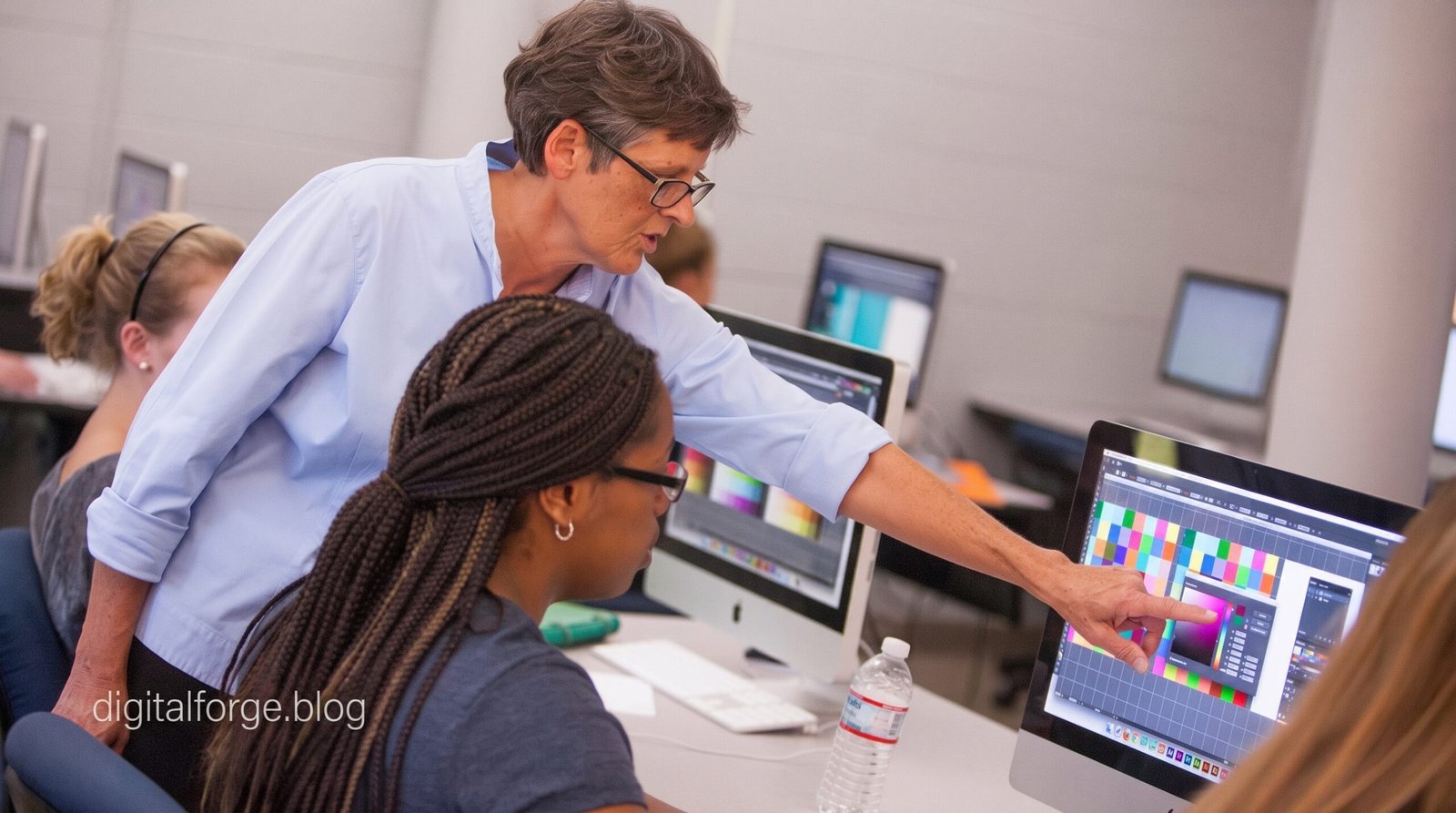
Graphic design software has become one of the most important tools for creating professional visual content in the digital world. From business logos and advertisements to social media posts, website graphics, product packaging, brochures, presentations, illustrations, and marketing materials, designers use specialized software to turn creative ideas into polished visual experiences. Whether someone is a beginner learning graphic design or an experienced professional working with demanding clients, choosing suitable design software can have a major effect on productivity, creativity, and final results.
The graphic design industry has changed significantly as software has become more powerful and accessible. Modern applications can combine vector illustration, photo editing, typography, page layout, digital drawing, templates, collaboration, cloud-based workflows, and artificial intelligence. Some programs are designed specifically for professional designers, while others focus on beginners, small businesses, marketers, students, and content creators who need to produce attractive graphics without years of technical experience.
Understanding graphic design software requires more than knowing the names of popular applications. Users need to understand the difference between vector and raster graphics, the importance of typography and color management, file formats, image resolution, design workflows, export options, hardware requirements, pricing models, and the features needed for different types of projects. By understanding these areas, users can make a more informed decision and select software that fits their creative requirements.
What Is Graphic Design Software?
Graphic design software is a digital application that allows users to create, edit, organize, manipulate, and export visual content. Depending on the program, it may provide tools for drawing shapes, creating illustrations, editing photographs, designing layouts, manipulating typography, applying colors and effects, creating logos, and preparing graphics for print or digital publication.
Graphic design applications are available in several forms. Desktop software is commonly used by professional designers who require advanced tools and precise control. Web-based design platforms allow users to create graphics directly inside a browser, making them convenient for beginners and teams. Mobile design applications provide simplified tools for people who want to create or edit visual content from smartphones and tablets.
The software selected for a project should match the nature of the work. A professional logo designer may require powerful vector tools, while a photographer may need advanced image editing capabilities. Someone creating social media posts may prioritize templates, brand assets, resizing, and simple editing. Understanding the purpose of each type of graphic design software helps prevent users from paying for features they rarely need or choosing an application that cannot handle their projects.
Understanding Vector and Raster Graphic Design
Vector and raster graphics are two fundamental concepts in graphic design. Vector graphics are created using mathematical paths, points, curves, and shapes rather than a fixed collection of pixels. Because of this structure, vector artwork can generally be enlarged or reduced without losing its sharp appearance. This makes vector software particularly valuable for logos, icons, illustrations, typography, signage, packaging, diagrams, and branding materials.
Raster graphics are made from pixels and are commonly associated with digital photographs and detailed pixel-based artwork. Raster editing software allows users to manipulate individual areas of an image, adjust colors, remove unwanted elements, retouch photographs, create masks, combine images, and apply visual effects. The quality of a raster image is closely related to its resolution, so enlarging a small raster image too much can result in visible pixelation.
Professional designers frequently work with both formats. A branding project might contain a vector logo, raster photographs, digital illustrations, and text-based elements. A marketing campaign could require the same logo in vector format while using high-resolution photographs for advertisements. Therefore, many professional graphic design workflows involve moving between vector illustration software and raster image-editing applications.
Important Features of Graphic Design Software
Modern graphic design software includes a wide range of features designed to provide creative control and improve productivity. Layers are among the most important because they allow designers to separate objects and edit individual elements without affecting the entire composition. Designers can organize backgrounds, text, photographs, illustrations, shapes, and effects into separate layers, making complex projects easier to manage.
Typography tools are equally important. Professional designers need control over fonts, spacing, alignment, line height, letter spacing, text placement, and visual hierarchy. Good typography can dramatically influence how a design communicates its message. Advanced software may also provide tools for converting text into outlines, placing text along paths, creating custom lettering, and managing large font collections.
Color management is another essential feature, particularly for professional print production. Designers may work with RGB colors for digital displays and different color systems for printing. Software that provides accurate color controls, profiles, swatches, gradients, transparency, and print-related options can help designers produce more predictable results across different devices and production methods.
Graphic Design Software for Logo Design and Branding
Logo design is one of the most common applications of professional graphic design software. A logo needs to remain recognizable at different sizes and work across numerous environments, including websites, social media, business cards, packaging, signage, advertisements, uniforms, and promotional products. Vector graphics are especially useful for this purpose because a vector logo can be resized while maintaining clean lines.
Professional vector design software provides tools for drawing paths, combining shapes, editing anchor points, adjusting curves, creating custom lettering, and developing precise geometric designs. These features allow designers to move beyond simple templates and create unique visual identities for businesses, organizations, products, and personal brands.
Branding projects usually involve more than a logo. Designers may need to develop color palettes, typography systems, icons, illustrations, marketing materials, business stationery, social media graphics, packaging, and advertising assets. Graphic design software can help maintain consistency across these different materials by providing reusable colors, fonts, styles, templates, and design assets.
Graphic Design Software for Photo Editing and Digital Art
Photo editing is another major area of graphic design. Designers may need to correct exposure, improve colors, remove unwanted objects, replace backgrounds, retouch portraits, combine photographs, or create composite images. Raster-based image editing tools are particularly useful for these tasks because they work directly with pixel-based imagery.
Digital artists also use graphic design software to create illustrations and paintings. Depending on the application, artists may have access to brushes, pressure-sensitive drawing tools, blending effects, textures, gradients, masks, layers, and other creative functions. These tools allow traditional artistic concepts to be recreated in a digital environment while providing additional flexibility for editing and experimentation.
Photo editing and graphic design often overlap. An advertisement, for example, might begin with a photograph that is retouched in raster software and then combined with vector typography, logos, shapes, and illustrations. This is why designers who work across multiple disciplines often use more than one application or choose a creative suite that provides several types of tools.
Artificial Intelligence in Graphic Design Software
Artificial intelligence is becoming an increasingly important part of modern graphic design software. AI-powered tools can assist with tasks such as image generation, background removal, object selection, image expansion, vectorization, concept development, and repetitive editing. These capabilities can save time and allow designers to explore ideas more quickly.
Generative AI can also help designers experiment during the early stages of a project. A designer can describe a visual concept and use AI-assisted features to create an initial direction, which can then be edited and refined manually. AI-assisted vector tools can similarly help transform concepts or raster references into editable artwork.
However, artificial intelligence does not eliminate the need for professional design skills. AI-generated content still needs to be evaluated for composition, accuracy, originality, typography, brand suitability, technical quality, and licensing considerations. Human judgment remains important because effective graphic design is not simply about producing attractive images; it is about communicating a specific message to a specific audience.
Graphic Design Software for Beginners
Beginners often need software that provides useful design capabilities without making the learning process unnecessarily complicated. Simple interfaces, templates, drag-and-drop controls, tutorials, ready-made assets, and straightforward export options can make it easier for new users to create their first designs.
Browser-based graphic design platforms have become particularly popular among beginners, marketers, students, entrepreneurs, and small businesses. These platforms can make it possible to create social media graphics, posters, flyers, presentations, advertisements, invitations, and other materials without requiring advanced knowledge of professional design applications.
Nevertheless, beginners should not depend entirely on templates. Learning basic principles such as alignment, contrast, hierarchy, balance, repetition, proximity, whitespace, typography, and color theory will make a much greater difference over time. Software is simply a tool, and understanding design principles allows users to make better decisions regardless of which application they choose.
Graphic Design Software for Professional Designers
Professional graphic designers typically require deeper control over their artwork and production workflow. Advanced vector editing, typography, color management, layers, masking, page layout, asset organization, high-resolution output, and extensive file-format support can become essential when working on complex commercial projects.
Professional designers may also work on multiple projects simultaneously and exchange files with clients, agencies, printers, developers, photographers, and other designers. Compatibility is therefore an important consideration. Software should be able to import and export the file formats required by the designer’s workflow while preserving as much editable information as possible.
Productivity features can also have a major impact on professional work. Reusable styles, templates, asset libraries, font management, multipage documents, automated tasks, batch processing, and multi-format export can reduce repetitive work. A designer who saves several minutes on hundreds of repeated tasks can gain a substantial amount of productive time over the course of a project.
How to Choose the Right Graphic Design Software
Choosing the right graphic design software starts with identifying the type of projects you expect to create. Someone focusing on logo design should prioritize vector illustration and typography tools. A photographer should look for advanced image editing and color correction. A social media manager may prefer templates, resizing tools, brand management, and fast publishing features. A professional print designer may need detailed layout, color management, typography, and production controls.
Pricing and licensing should also be considered. Some graphic design applications are subscription-based, while others offer one-time purchase options. Free graphic design software can be useful for beginners and people with limited requirements, but professional users may need advanced features that are available only in paid applications.
Computer compatibility is another important factor. Users should check whether the software supports their operating system and whether their computer has enough memory, storage, graphics performance, and processing power. Large Photoshop-style projects, complex vector artwork, high-resolution photographs, and AI-powered features can require significantly more resources than simple social media graphics.
Graphic Design Software and File Formats
File formats play a major role in professional design workflows. Different formats are suitable for different purposes, and designers often need to maintain editable project files while also exporting final versions for clients, websites, printers, or social media platforms.
Editable project formats are valuable because they preserve layers, shapes, text, effects, and other design information. Vector formats are commonly used when scalable artwork is required, while raster formats are useful for photographs and web graphics. PDF files are frequently used for sharing and printing finished documents because they can preserve layout and visual information across different systems.
Export settings also matter. A design intended for a website may require different dimensions and compression from a design intended for commercial printing. Understanding resolution, image dimensions, transparency, color modes, and compression can prevent common production problems and help ensure that the final artwork appears as intended.
The Future of Graphic Design Software
The future of graphic design software is likely to involve even deeper integration between traditional design tools, artificial intelligence, automation, cloud services, and collaborative workflows. Designers will increasingly be able to generate concepts, modify images, create variations, remove backgrounds, expand artwork, trace graphics, and automate repetitive tasks without leaving their primary design environment.
Cloud-based workflows are also making design collaboration easier. Teams can increasingly share creative assets, access projects across devices, review designs, and maintain brand resources in connected environments. This is particularly useful for businesses and agencies where several people may work on the same campaign or brand system.
Despite these technological developments, fundamental design skills will continue to matter. A software application can provide sophisticated tools, but it cannot automatically understand every audience, brand message, cultural context, or communication objective. Designers who combine technical knowledge with creativity, visual judgment, typography, composition, and strategic thinking will continue to have an important role in the industry.
Conclusion
Graphic design software is an essential part of modern visual communication, supporting everything from simple social media graphics to complex professional branding, illustration, advertising, publishing, and digital artwork. The available applications range from beginner-friendly browser tools to advanced professional creative suites with powerful vector, raster, typography, layout, color, and AI-assisted capabilities.
The best graphic design software is not necessarily the application with the largest number of features. It is the software that matches the user’s specific needs, creative goals, technical requirements, budget, experience level, and workflow. Understanding vector and raster graphics, file formats, typography, color, resolution, exporting, and production requirements makes it easier to choose and use design software effectively.
As artificial intelligence and cloud technologies continue to evolve, graphic design applications will become increasingly capable of automating technical tasks and supporting creative experimentation. However, successful design will still depend on human creativity and decision-making. By learning the fundamentals of graphic design and choosing software that complements those skills, beginners and professionals can create more effective, consistent, and visually compelling work.
